
Passez à l'e-mail chiffré sans rien perdre
Votre ancienne boîte de réception, votre agenda et votre carnet d'adresses vous suivent. Nous importons vos messages, gardons votre ancienne adresse active via une redirection et chiffrons tout chez nous.
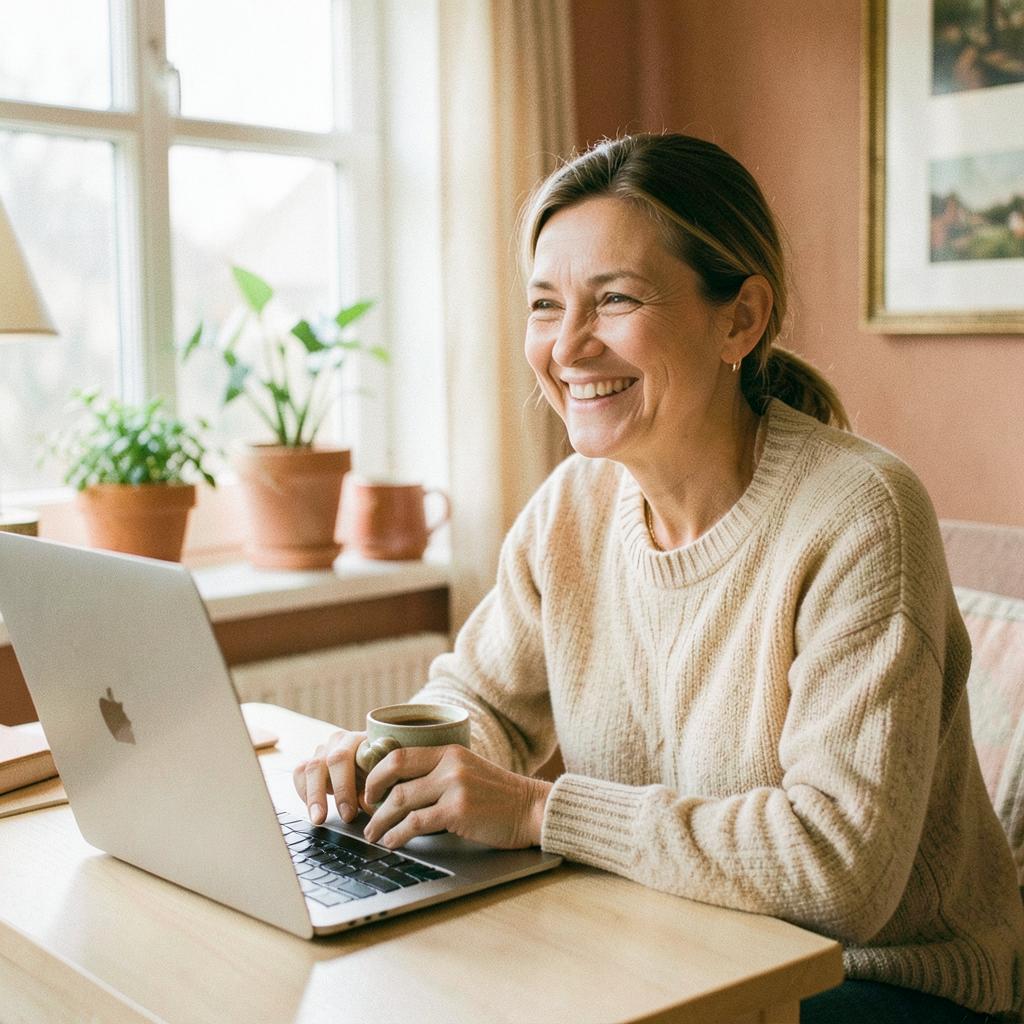
La même promesse partout
Quatre choses sur lesquelles compter avec Ayamail
Contenu chiffré
Vos messages et fichiers restent verrouillés, pour vous et vos proches seulement.
Aucune publicité
Nous ne vendons pas votre attention et ne créons aucun profil.
De la place pour toute la famille
Adapté dès 13 ans, avec messagerie, agenda, contacts et drive pour tous.
Démarrage gratuit
Créez votre adresse en quelques minutes, sans carte ni engagement.
Quatre étapes de l'ancien fournisseur à une boîte de réception chiffrée
- 01
Créez votre compte
Choisissez une adresse sur ayamail.net ou reliez votre propre domaine. Moins de deux minutes.
- 02
Importez e-mails et dossiers
Connectez votre ancien compte en IMAP. Messages, dossiers et libellés sont copiés puis chiffrés chez nous.
- 03
Emportez agenda et contacts
Importez ICS et vCard depuis Google, Apple ou Outlook. Événements et fiches arrivent chiffrés dans votre compte.
- 04
Transférer, puis fermer
Configurez une redirection depuis votre ancienne adresse et mettez à jour les expéditeurs à votre rythme. Aucun message perdu.
Ayamail face à un fournisseur gratuit classique
| - | Ayamail | Fournisseur gratuit classique |
|---|---|---|
| Contenu chiffré, illisible par le fournisseur | ||
| Aucune publicité ni pixel de suivi | ||
| Agenda, contacts, cloud et mots de passe chiffrés dans un seul compte | ||
| Domaine personnalisé et alias illimités | ||
| Standards ouverts : IMAP, SMTP, CalDAV, CardDAV | ||
| Votre compte est le client, pas le produit |
Votre ancienne boîte de réception, votre agenda et votre carnet d'adresses vous suivent. Nous importons vos messages, gardons votre ancienne adresse active via une redirection et chiffrons tout chez nous.
Ce que l'on demande souvent
Vais-je perdre mes anciens e-mails ?
Non. L'import copie vos messages : ils existent aux deux endroits jusqu'à ce que vous fermiez l'ancien compte.
Puis-je garder mon ancienne adresse ?
Oui. Configurez une redirection chez votre fournisseur actuel, ou transférez tout votre domaine chez nous.
Combien de temps cela prend-il ?
La configuration prend en général moins d'une heure. L'import se poursuit ensuite en arrière-plan pendant que vous utilisez votre boîte de réception.
Mes applications actuelles fonctionnent-elles ?
Oui. Ayamail parle IMAP, SMTP, CalDAV et CardDAV : Thunderbird, Apple Mail et Outlook fonctionnent comme avant.
Pour commencer
Trois etapes vers la boite de la famille
Choisissez votre adresse
Trouvez un nom qui vous plait sur ayamail.net, ou utilisez votre propre domaine plus tard.
Protegez la par un code
Choisissez un mot de passe solide et confirmez par SMS, ainsi vous seul entrez.
Emmenez la famille
Copiez vos anciens courriers et contacts, et creez des adresses pour la famille quand vous etes pret.
Prêt à déménager ?
Créez un compte gratuit, lancez l'import et gardez votre ancienne adresse entre-temps.
Demarrage gratuit. Sans publicite, sans profilage, sans carte.
Serenite
Comment nous protegeons votre courrier
Nous vivons des abonnements, pas de vos contenus. La protection est la meme avec le compte gratuit ou payant.
Chiffre de bout en bout
Courrier et fichiers sont stockes chiffres, et la connexion est securisee de votre ecran a nos serveurs.
Aucune publicite ni profilage
Nous ne lisons pas votre courrier et ne creons aucun profil pour des annonceurs.
La cle est a vous
Vos mots de passe et notes privees ne s ouvrent qu avec votre propre cle principale.
Protection de connexion
Activez la verification en deux etapes et voyez quels appareils sont connectes.
Changer sans effort
Emportez votre ancien courrier
Vous ne repartez pas de zero. Nous copions courrier, dossiers, contacts et agenda depuis votre ancien fournisseur pendant que vous utilisez tranquillement la nouvelle boite.
Tout le courrier et les dossiers
Les anciens messages arrivent avec la meme structure de dossiers, aussi depuis Gmail, Outlook et One.com.
Les contacts suivent
Votre carnet d adresses est importe pour ecrire aux memes personnes qu avant.
Agenda et rendez vous
Les rendez vous et les repetitions suivent, les plans de la famille restent intacts.
Rien n est supprime
Nous copions seulement. Votre ancien compte reste actif jusqu a ce que vous le fermiez.
Partout avec vous
Utilisez votre courrier dans le navigateur ou dans votre programme
Connectez vous dans le navigateur ou configurez la boite dans le logiciel que vous connaissez deja. C est le meme courrier, toujours a jour.
Webmail dans le navigateur
Ouvrez courrier, agenda, contacts et stockage directement, sans rien installer.
Votre logiciel de courrier
Compatible avec Outlook, Apple Mail et Thunderbird via IMAP et SMTP standard.
Plusieurs adresses reunies
Gardez les adresses et alias de la famille au meme endroit, sans jongler.
Toujours synchronise
Messages lus et dossiers sont identiques partout ou vous ouvrez la boite.
Conseils pour la famille
Comment profiter ensemble au mieux de Ayamail
De petites choses qui simplifient le quotidien quand toute la famille utilise les memes boites et les memes applications.
Une adresse chacun
Donnez a chaque membre sa propre adresse pour que courrier, agenda et fichiers ne se melangent pas.
Partager un agenda
Loisirs, vacances et rendez vous au meme endroit, pour que chacun voie le programme de la semaine.
Un dossier pour les souvenirs
Rangez photos et papiers importants dans un dossier partage du stockage, vous les retrouverez toujours.
Garder les codes en securite
Utilisez l application de mots de passe pour les comptes de la famille, fini les papiers et les codes repetes.
Qui est derriere
Une petite equipe qui veille sur votre courrier
Ayamail est gere par 3XAYA LTD au Royaume Uni. Nous vivons des abonnements et non de la publicite, notre seule mission est de proteger votre boite.
Societe enregistree
3XAYA LTD, enregistree au Royaume Uni sous le numero 17437429.
Finance par les gens
Nos revenus viennent des abonnements, votre courrier ne devient jamais un produit.
Vie privee par defaut
Aucune publicite et aucun profilage. Le contenu est chiffre et les cles restent chez vous.
De vraies personnes
Ecrivez nous en anglais ou en danois, nous vous aidons a avancer.
Langues
Ayamail parle votre langue
Tout Ayamail existe en danois, anglais, allemand, francais et italien, pour que toute la famille utilise la meme boite aux lettres.
Cinq langues
Danois, anglais, allemand, francais et italien dans le courrier, l agenda, les contacts et le drive.
Choix personnel
Chaque membre de la famille choisit sa langue sans rien changer pour les autres.
Automatique des le depart
Nous proposons la langue selon votre navigateur, et vous pouvez la changer en bas de page.
Changez quand vous voulez
La langue est enregistree sur votre compte et reste la meme a la prochaine connexion.
Adresses
Une adresse pour chacun dans la famille
Choisissez les adresses qui vous conviennent, separez le quotidien du pratique et rassemblez tout dans la meme boite.
Votre propre adresse
Choisissez votre nom et l un de nos domaines a la creation du compte.
Alias supplementaires
Utilisez des adresses en plus pour les boutiques et les newsletters, votre adresse privee reste calme.
Redirection
Redirigez le courrier vers une autre adresse de la famille si quelqu un doit aider a surveiller.
Votre propre domaine
Avec un nom de famille ou une entreprise, utilisez votre domaine pour toutes les adresses.
Espace
De la place pour les messages, les photos et les fichiers
Vous commencez avec 1 Go gratuit pour toute la famille et vous pouvez toujours obtenir plus de place.
1 Go gratuit
Le compte gratuit offre 1 Go pour les messages et les fichiers, sans publicite et sans profilage.
Messages et dossiers
Classez les messages dans des dossiers pour retrouver facilement les anciens courriers.
Photos et documents
Rangez les photos de vacances, les notes et les papiers dans le drive pour toute la famille.
Plus de place quand vous voulez
Passez a une offre plus grande quand la place manque. Tout reste exactement en place.
Une boite calme
Le spam et les arnaques restent dehors
Les filtres ecartent la publicite et les arnaques pour que les messages importants restent en haut pour toute la famille.
Filtre automatique
La publicite et les envois en masse vont dans le spam, et vous pouvez toujours recuperer un message.
Alerte arnaque
Les messages suspects sont signales pour que les enfants et les aines les reperent plus vite.
Bloquer un expediteur
Bloquez une adresse en un clic si quelqu un continue de vous ecrire.
Signaler un message
Signalez un message comme spam pour que le filtre s ameliore avec le temps.
Vos donnees
Vos messages et vos fichiers vous appartiennent
Vous pouvez toujours emporter vos messages, vos contacts et vos fichiers. Nous ne verrouillons rien et ne vendons jamais vos informations.
Tout telecharger
Telechargez messages, contacts et fichiers dans des formats courants quand vous voulez.
Aucun verrouillage
Nous utilisons des standards ouverts pour que vous puissiez partir ailleurs sans souci.
Vous avez les cles
Le contenu est chiffre et nous ne lisons ni vos messages ni vos fichiers.
Supprimez quand vous voulez
Supprimez des fichiers ou tout le compte, et nous le retirons de nos serveurs.
Fiabilite
Une messagerie qui fonctionne, chaque jour
Nous veillons au service pour que vos messages arrivent, meme quand toute la famille est connectee en meme temps.
Etat du service
Consultez l etat actuel et les incidents passes sur notre page d etat.
Serveurs en Europe
Vos messages et vos fichiers sont sur des serveurs en Europe avec une sauvegarde quotidienne.
Messagerie jour et nuit
La boite est ouverte jour et nuit pour lire et ecrire quand vous voulez.
Une aide humaine
Ecrivez nous et une personne reelle repond dans un langage calme et clair.
Pour qui
Pense pour les familles, les jeunes, les aines et les petites entreprises
La meme boite calme convient a toute la maison, que la messagerie soit nouvelle pour vous ou familiere depuis des annees.
Toute la famille
Une adresse pour chacun, un agenda commun et un dossier partage pour les photos et les papiers.
Les jeunes des 13 ans
Une premiere adresse sans publicite et sans profilage, avec une boite tranquille.
Les grands parents
De grands boutons, un texte clair et des alertes arnaque pour suivre facilement.
Les petites entreprises
Utilisez votre domaine pour plusieurs adresses et separez le travail et le prive.
Sans engagement
Des conditions sereines pour toute la famille
Commencez gratuitement, changez de formule quand vous voulez et arretez sans long preavis.
Pas de carte pour le compte gratuit
Le compte famille gratuit ne demande aucune donnee de paiement.
Arretez quand vous voulez
Une formule payante va jusqu au bout de la periode et ne se renouvelle pas apres resiliation.
Changez de formule facilement
Montez ou descendez de formule selon les besoins de la famille.
Recu clair
Vous recevez un recu par mail et voyez toujours ce que vous payez.
L esprit tranquille
Concu pour que les parents suivent sereinement
Vous decidez quand les enfants recoivent une adresse et comment vous les aidez a demarrer.
Une adresse par enfant
Creez une adresse pour chaque membre de la famille des 13 ans et gardez tout ensemble.
Aide pour les mots de passe
Rangez des mots de passe forts dans l application dediee, sans papier ni pense bete.
Aucun suivi des enfants
Nous n affichons aucune publicite et ne creons aucun profil de la famille.
Parler des arnaques
Des avertissements clairs facilitent la discussion sur les mails suspects a la maison.
Tout est inclus
Sept applications dans un compte
Une adresse ouvre tout Ayamail. Rien d'autre a creer par la suite.
Messagerie
Votre boite avec dossiers, recherche et filtres, sans publicite.
Agenda
Rendez-vous et rappels pour toute la famille.
Contacts
Noms, numeros et adresses au meme endroit.
Espace
1 Go gratuit pour vos photos et documents.
Documents
Ecrivez lettres et notes directement dans le navigateur.
Tableurs
Suivez budget et listes dans un tableur simple.
Mots de passe
Gardez les mots de passe derriere votre cle principale.
Votre choix
Commencez gratuitement et evoluez au besoin
Ayamail Free
Pour qui veut simplement une boite sure et sans publicite.
- Une adresse sur ayamail.net
- 1 Go pour vos messages et fichiers
- Messagerie, agenda, contacts et espace
Ayamail Plus
Quand il faut de la place pour des annees de photos.
- Plus d'espace pour messages et fichiers
- Plus d'alias au quotidien
- Utilisez votre propre domaine
Ayamail Family
Une offre pour tout le foyer, avec une adresse par personne.
- Des adresses pour toute la famille
- Un espace commun a partager
- Une seule facture
Voir plus
Explorez le reste d'Ayamail
- Messagerie gratuiteUne boite gratuite pour toute la famille, sans publicite.
- Messagerie chiffreeLe contenu reste verrouille, vous seul pouvez le lire.
- Espace gratuit1 Go pour vos photos et documents des le depart.
- Domaine propreUtilisez le nom de votre famille pour vos adresses.
- Nous rejoindreRecuperez anciens courriers et contacts en quelques minutes.
- TarifsVoyez ce qui est gratuit et le prix de plus d'espace.
De l'aide quand vous en avez besoin