
Guides and answers for the whole family
Short, calm guides on secure email, safe setup and everyday questions. Written so parents and teens can both follow along.
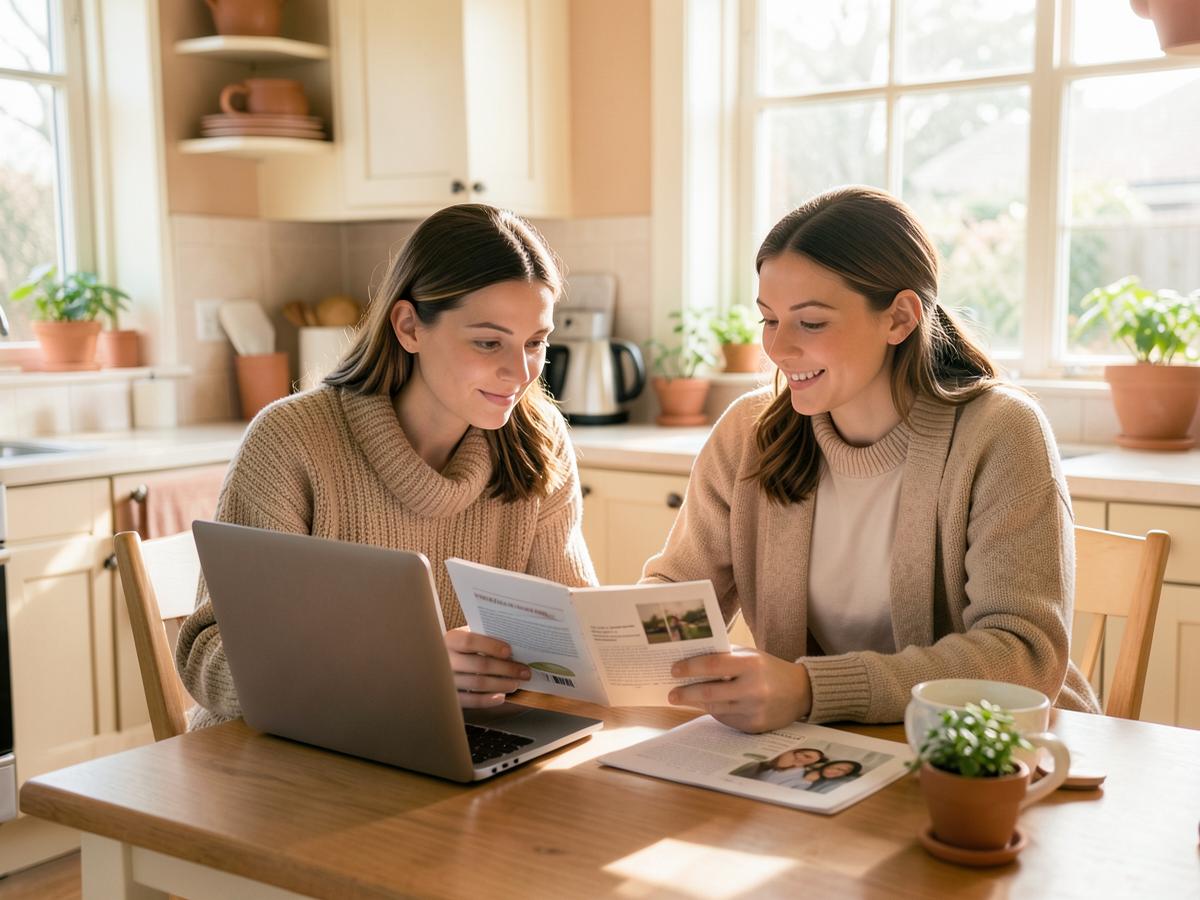
The same promise everywhere
Four things you can count on with Ayamail
Encrypted content
Your files and passwords stay locked so only you can read them, and mail travels over encrypted connections.
No adverts
We do not sell your attention and we do not profile you.
Room for the whole family
Suitable from age 15, with mail, calendar, contacts and drive for everyone.
Free to get started
Create your address in minutes, with no card and no commitment.
Guides for a more private digital life
Short, concrete articles about encryption, migration and secure setup.
Zero-access encryption explained
What does it mean that the provider cannot read your data? A short walkthrough of keys, AES-GCM and what is actually protected.
4 min readRead the articleHow to switch email provider without losing mail
A practical plan for moving mail, calendar and contacts, setting up forwarding and changing your sending address calmly.
5 min readRead the articleSPF, DKIM and DMARC on your own domain
The three DNS records that decide whether your mail lands in the inbox or in spam, and how to set them up correctly.
6 min readRead the articleMove your mail without losing anything
How to move every old message from Gmail, One.com or another provider into Ayamail, with no duplicates and no downtime.
5 min readRead the articleNew guides
- Family
What age can a child have an email account in the UK?
No law sets a minimum age for email, but data protection rules decide when a child can agree on their own. Here is what that means in practice.
7 min readRead the guide - Privacy and security
Can your email provider read your emails? The honest answer
Technically, yes: ordinary mail sits on the provider's servers in a readable form. Here is what that means at Ayamail, what we never do, and how to close the gap.
7 min readRead the guide - Switch email
How to close an old email account safely
Copy, change, forward, wait, then close. The calm order for retiring an old address, plus the grace periods at Google, Microsoft and Yahoo.
7 min readRead the guide - Getting started
How to create a new email address, and pick a good one
An email address is the key to your bank, your doctor and every online account. Here is how to choose a provider, a name that ages well and a setup that keeps strangers out.
7 min readRead the guide - Family
Cyberbullying: what parents can do, step by step
What to do in the first hours and days after your child tells you they are being bullied online, with UK helplines and removal services.
8 min readRead the guide - Family
Email after a death: what families can do
How to handle the email account of someone who has died, what the big providers offer, and how to make things easier for your own family.
8 min readRead the guide - Privacy and security
Email hacked? What to do in the first hour
The signs of a taken-over email account, the order to fix things in, a message you can send your contacts and how to stop it happening again.
8 min readRead the guide - Privacy and security
Someone is sending emails from my address: what is going on?
Friends got strange mail from you, or you received bounces for messages you never sent. How to tell spoofing from a hacked account, calmly.
7 min readRead the guide - Privacy and security
Why do my emails go to spam?
From missing SPF and DKIM to a link shortener in your signature. The common reasons mail lands in spam, and what to do on both sides.
7 min readRead the guide - Family
Family agreement on email and the internet: a version you can print
A two-sided agreement for children and parents: what the child promises, what the parent promises, and how to make it stick.
7 min readRead the guide - Privacy and security
Your data rights with an email provider
A plain guide to subject access requests and the other data rights you have with any email provider, what to ask for and how long they have to answer.
7 min readRead the guide - Family
Gmail and Outlook for children: what can parents actually control?
Family Link and Microsoft Family Safety are strong on screen time and apps. What they offer for a child's inbox is narrower. A dated, sourced comparison.
7 min readRead the guide - Switch email
Gmail no longer checks mail from other accounts: what now?
Gmail is dropping “Check mail from other accounts” and Gmailify. Here is what Google has announced, what still works, and three ways to keep your other address alive.
6 min readRead the guide - Set-up
IMAP or POP3: which one should you use?
IMAP keeps mail in sync on every device. POP3 downloads it to one. Here is when each makes sense and how to move from POP3 without losing anything.
6 min readRead the guide - Switch email
How to leave Google: mail, photos, Drive, calendar and contacts
Leaving Google is less about one big switch and more about a sensible order. Here is a plan, service by service, with the tools Google itself provides.
9 min readRead the guide - Own domain
What is an MX record?
The MX record tells the world which server receives mail for your domain. Here is how it works, how to check it and what usually goes wrong.
7 min readRead the guide - Family
Online safety by age: email and messages from 6 to 15
What a 7-year-old, an 11-year-old and a 14-year-old can realistically manage in their inbox and chats, and what you can do at each stage.
8 min readRead the guide - Family
How to set up an email account for your child
Create a child account in the Family Center, choose who may write to your child and get them signed in on their own device.
7 min readRead the guide - Family
Parental controls explained: device, router, apps and email
Screen Time, Family Link, broadband filters, app settings and email rules each do a different job. Here is what each layer covers and where the gaps are.
7 min readRead the guide - Privacy and security
PGP email and password-protected messages in Ayamail
How PGP works, how to set it up in Ayamail, and how to send a password-protected message to someone who has never heard of PGP.
7 min readRead the guide - Privacy and security
How to send sensitive documents safely
A passport scan, a payslip, a letter from the doctor. How to choose between ordinary email, a password-protected message, PGP and a shared file.
7 min readRead the guide - Privacy and security
How to spot a phishing email: ten checks that work
Ten practical checks for suspicious emails, the disguises scammers use most in the UK, and how to report a phishing email so it can be taken down.
7 min readRead the guide - Privacy and security
How to make a strong password you can remember
Length beats clever symbols. How to build a password from three random words, where a password manager helps, and the one password you must never reuse.
7 min readRead the guide - Privacy and security
Two-factor authentication explained, and how to turn it on in Ayamail
A second check at sign-in stops most account takeovers. What 2-step verification is, which kind to choose, and how to set it up in Ayamail.
7 min readRead the guide - Switching email
Leaving BT broadband: what happens to your BT email?
Your btinternet.com address does not have to disappear when you switch broadband, but the free option is limited. Here is how to keep it or move it.
7 min readRead the guide - Switching email
TalkTalk email: what happens when you leave, and your options
Former TalkTalk customers now have to pay Everymail to keep their address. Current customers are not affected yet, but it is worth planning before you switch.
7 min readRead the guide - Switching email
Virgin Media email is moving to Junara: what are your options?
Virgin Media is handing its email service to Junara. Here is what that means, the deadlines you need to know and how to save your mail.
7 min readRead the guide - Switching email
Yahoo Mail storage is now 15GB in the UK: what to do next
Free Yahoo Mail accounts in the UK went from 1TB to 15GB in May 2026. If your mailbox is over the limit, new mail can be lost. Here is how to check and what your choices are.
7 min readRead the guide - Switching email
University email after graduation: what happens to it?
Your student address usually closes a few months after your course ends. Here is what disappears with it and a checklist for moving everything in time.
8 min readRead the guide - Privacy and security
What TLS means for your email (honestly)
TLS locks the connection while your mail travels. It does not lock the message on the servers at each end. Here is what that means in practice.
7 min readRead the guide
Your free email is waiting for you
Pick your name and send your first message in a moment. No card, no lock-in, no surprises.
Free plan with 3 GB on @ayamail.net · No card required
Getting started
Three steps to your family mailbox
Pick your address
Find a name you like on ayamail.net, or bring your own domain later.
Lock it with a code
Choose a strong password and confirm with a text message, so only you can get in.
Bring the family along
Copy old mail and contacts, and create addresses for the rest of the family when you are ready.
Good to know
Questions families often ask
- Is Ayamail really free?
- Yes. The free plan gives you a mailbox, calendar, contacts and 3 GB of drive space with no card.
- Who can read my mail?
- We do not read your mail and never use it for adverts. Mail is stored on our servers at Hetzner in Germany and is not end-to-end encrypted by default. You can turn that on with OpenPGP. Drive, passwords, albums and docs are encrypted so only you can read them.
- Can I bring my old mail with me?
- Yes. You can copy mail, contacts and folders from your current provider, and your old address can forward in the meantime.
- Is it suitable for children and teens?
- You can have your own account from age 15. Children under 15 get a child account that a parent creates. On the Family plan, the parent can read the mail in that child account.
- What if I need help?
- Write to us from the contact page. You can also find guides under resources and check uptime on the status page.
Ready to give your family a safe mailbox?
Create a free Ayamail account in a few minutes, or see what the paid plans give families and businesses.
Free to get started. No adverts, no profiling, no card needed.
Peace of mind
How we look after your mail
We make money from subscriptions, not from your content. The protection is the same whether you use the free account or pay.
Encrypted connections and files
Files are stored encrypted, and the connection is secured from your screen to our servers.
No adverts or profiling
We do not read your mail, and we never build profiles for advertisers.
You hold the key
Your passwords and private notes can only be opened with your own master key.
Extra login protection
Turn on two step verification and see which devices are signed in.
Switch without hassle
Bring your old mail with you
You do not start over. We copy mail, folders, contacts and calendar from your old provider while you calmly use the new mailbox.
All mail and folders
Old messages move with the same folder structure, also from Gmail, Outlook and One.com.
Contacts come along
Your address book is imported so you can write to the same people as before.
Calendar and events
Events and repeats move with you, so the family plans are not lost.
Nothing is deleted
We only copy. Your old account stays in place until you close it yourself.
Wherever you are
Use your mail in the browser or in your own program
Sign in through the browser, or set the mailbox up in the program you already know. It is the same mail, and everything stays up to date.
Webmail in the browser
Open mail, calendar, contacts and storage straight in the browser with nothing to install.
Your own mail program
Works with Outlook, Apple Mail and Thunderbird over standard IMAP and SMTP.
Several addresses in one place
Keep the family addresses and aliases together so you do not have to jump around.
Always in sync
Read messages and folders look the same wherever you open the mailbox.
Tips for the family
How to get the most out of Ayamail together
Small things that make everyday life easier when the whole family shares the same mailbox and the same apps.
One address each
Give every family member their own address so mail, calendar and files never get mixed up.
Share one calendar
Keep hobbies, holidays and appointments in one place so everyone can see what is happening this week.
A folder for the memories
Put photos and important papers in a shared folder on the drive so you can always find them again.
Keep passwords safe
Use the password app for the family logins so you can drop the notes and the repeated codes.
Who is behind it
A small team looking after your mail
Ayamail is run by 3XAYA LTD in the United Kingdom. We live on subscriptions, not adverts, so our only job is to keep your mailbox safe.
Registered company
3XAYA LTD, registered in the United Kingdom with company number 17437429.
Paid for by people
Our income comes from subscriptions, so your mail never becomes the product.
Privacy by default
No adverts and no profiling. Drive, passwords, albums and docs are encrypted and the keys stay with you.
Real people to write to
Write to us in English or Danish and we will help you along.
Languages
Ayamail speaks your language
All of Ayamail is available in Danish, English, German, French and Italian, so everyone in the family can use the same mailbox without guessing.
Five languages
Danish, English, German, French and Italian across mail, calendar, contacts and drive.
Personal choice
Every family member picks their own language without changing it for anyone else.
Automatic from the start
We suggest a language based on your browser, and you can always switch at the bottom of the page.
Change any time
Your language is saved to your account, so it is the same the next time you sign in.
Addresses
One address for everyone in the family
Pick the addresses that suit you, keep everyday mail apart from the practical stuff, and gather it all in the same inbox.
Your own address
Choose your name and one of our domains when you create the account.
Extra aliases
Use extra addresses for shops and newsletters so your private address stays calm.
Forwarding
Forward mail to another address in the family if someone needs to help keep an eye on it.
Your own domain
With a family name or a company you can use your own domain for every address.
Storage
Room for mail, photos and files
You start with 3 GB free for the whole family and can always get more room when you need it.
3 GB free
The free account gives you 3 GB for mail and files, with no adverts and no profiling.
Mail and folders
Keep mail in folders so older messages stay put and are easy to find again.
Photos and documents
Put holiday photos, notes and papers in the drive so the whole family can find them.
More room whenever you want
Move to a bigger plan when you run out of room. Everything stays exactly as it is.
A calm inbox
Spam and scam mail stay out
Filters sort out adverts and scams so the messages that matter stay at the top for the whole family.
Automatic filter
Adverts and bulk mail land in spam, and you can always bring a message back.
Scam warning
Suspicious messages are flagged so children and older relatives can spot them more easily.
Block a sender
Block an address with a single click if someone keeps writing to you.
Report a message
Report a message as spam so the filter gets better for you over time.
Your data
Your mail and files belong to you
You can always take your mail, contacts and files with you. We lock nothing in and never sell your details.
Download everything
Download mail, contacts and files in ordinary formats whenever it suits you.
No lock in
We use open standards so you can move on to another provider without trouble.
You hold the keys
Files and passwords are encrypted, and we do not read along in your mail or your files.
Delete when you like
Delete single files or the whole account, and we remove it from our servers.
Reliability
Mail that simply works, every day
We look after the service so your mail arrives, even when the whole family is online at once.
Open service status
See current status and past incidents on our status page whenever something plays up.
Servers in Germany
Your mail and files sit on servers at Hetzner in Germany with a daily backup.
Mail around the clock
The inbox is open all day and night, so you can read and write when it suits you.
Help from people
Write to us and a real person replies in calm, plain language.
Who it suits
Made for families, teenagers, older relatives and small firms
The same calm mailbox fits the whole household, whether mail is brand new to you or something you have used for years.
The whole family
An address for each of you, a shared calendar and a shared folder for photos and papers.
Teenagers from 15
A first mail address with no adverts and no profiling, and a calm inbox.
Grandparents
Large buttons, clear text and scam warnings, so it is easy to keep up.
Small firms
Use your own domain for several addresses and keep work and private life apart.
No lock-in
Safe terms for the whole family
Start for free, change plan whenever you like and stop without long notice periods.
No card for the free account
The free family account needs no payment details at all.
Stop when you like
A paid plan runs to the end of the period and does not renew once you cancel.
Change plan easily
Move up or down between plans as your family needs change.
Clear receipt
You get a receipt by mail and can always see what you pay for.
Peace of mind
Built so parents can follow along calmly
You decide when the children get an address and how you help them get started.
An address for each child
Create an address for every family member from age 15 and keep them together.
Help with passwords
Save strong passwords in the password app so nobody writes them on a note.
No tracking of children
We show no adverts and build no profiles of anyone in the family.
Talk about scams
Clear warnings make it easy to talk about suspicious mail at home.
Everything included
Seven apps in one account
One address opens all of Ayamail. There is nothing extra to sign up for later.
Mail
Your mailbox with folders, search and filters, and no adverts.
Calendar
Plans and reminders for the whole family.
Contacts
Names, numbers and addresses kept in one place.
Drive
3 GB of free space for photos and documents.
Docs
Write letters and notes straight in your browser.
Sheets
Keep budgets and lists in a simple spreadsheet.
Passwords
Store the family passwords behind your own master key.
Your choice
Start free and grow when you need more
Ayamail Free
For anyone who just wants a safe mailbox without adverts.
- One address on ayamail.net
- 3 GB of space for mail and files
- Mail, calendar, contacts and drive
Ayamail Plus
When you need room for years of photos and attachments.
- More space for mail and files
- More aliases for everyday use
- Use your own domain
Ayamail Family
One plan for the whole household, with addresses for everyone.
- Addresses for the whole family
- Shared space to use together
- One single bill
See more
Explore the rest of Ayamail
- Free mailA free mailbox for the whole family, with no adverts.
- Secure emailEncrypted connections, optional OpenPGP and no adverts.
- Free drive3 GB of space for photos and documents from day one.
- Own domainUse your family name for your own addresses.
- Switch to usBring old mail and contacts across in a few minutes.
- PricingSee what is free and what extra space costs.
Help when you need it